CRM vs. Email Marketing Software: When to Use Each & How to Integrate
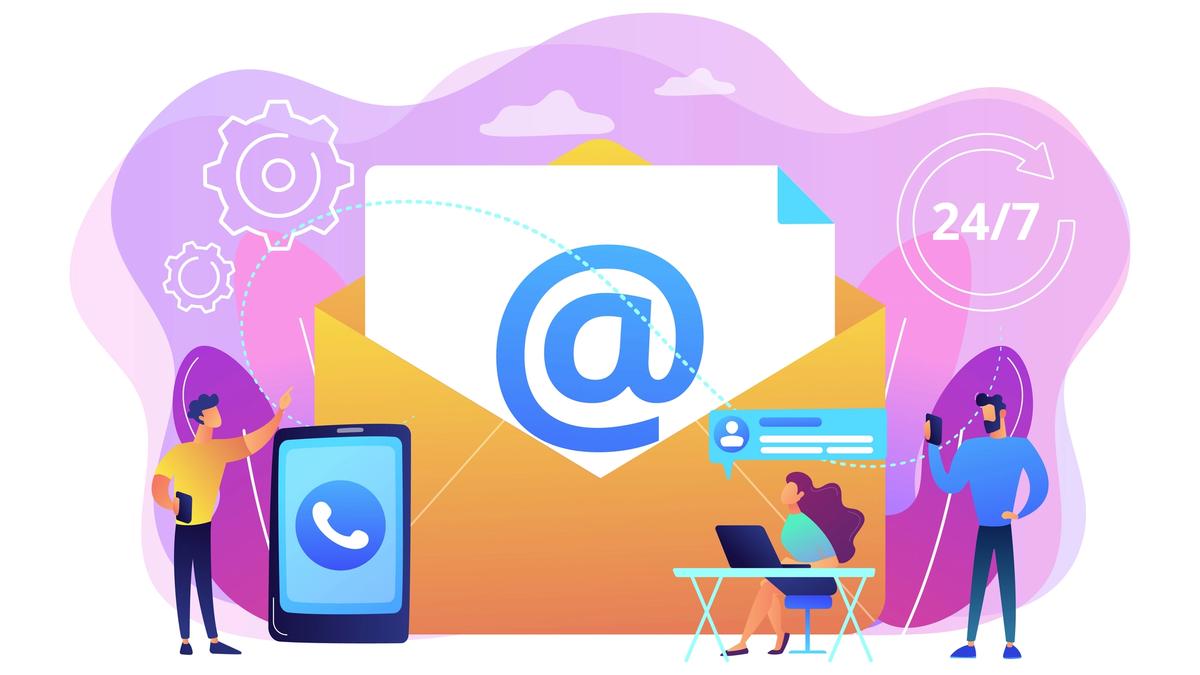
Confused about CRM vs. email marketing software? Most companies need both. Learn when to use each system, how they differ, and how to integrate them for maximum ROI.
CRM vs. Email Marketing Software: When to Use Each & How to Integrate
Introduction
Your sales and marketing teams are struggling to stay aligned. Your sales team insists they need a CRM to track customer interactions, while your marketing team argues that email marketing software is what you really need. Meanwhile, you're wondering: do we need both? Can one platform replace the other?
The answer isn't as simple as choosing one or the other. In fact, most successful companies use both CRM and email marketing software—they just need to work together seamlessly. This guide explains the differences between these tools, when to use each, and how to integrate them for maximum effectiveness.
Understanding the Difference
What is a CRM?
A CRM (Customer Relationship Management) system is designed primarily for sales teams. It stores all customer information in a centralized database and tracks interactions with individual customers and prospects. The focus is on managing relationships across the entire customer lifecycle—from initial contact through conversion and retention.
Key CRM functions:
- Storing customer contact information and communication history
- Tracking deals through a sales pipeline
- Managing leads and prospects
- Recording customer interactions (calls, meetings, emails)
- Forecasting revenue and pipeline
- Automating sales-related tasks, These automations are distinct from email marketing automation—learn more about email marketing workflows that work alongside your CRM.
CRMs are designed around individual customer records. When a salesperson meets with a customer or sends an email, that activity is logged against that specific customer's record.
What is Email Marketing Software?
Email marketing software is designed primarily for marketing teams to send campaigns to large audiences. It enables you to build email lists, create professional email templates, schedule campaigns, and measure engagement through open rates, click rates, and conversions.
Key email marketing functions:
- Building and segmenting email lists
- Creating professional email templates
- Scheduling campaigns to send at optimal times
- A/B testing subject lines and content
- Measuring campaign performance (opens, clicks, conversions)
- Creating automated email sequences (drip campaigns)
- Integrating signup forms on your website, These email lists then integrate with your CRM—read our guide on CRM and email integration to understand the complete workflow.
- Personalizing messages based on subscriber data
Email marketing software is designed around campaigns and audience segments. When you send a campaign, thousands of emails go out to your list at once.
Key Differences
1. Audience Focus
CRM: Tracks individual customer relationships. Each record is a unique person or company with a detailed history.
Email Marketing: Manages large audience segments. You send the same message to hundreds or thousands of subscribers simultaneously.
Impact: A salesperson uses the CRM to remember that John at Acme Corp prefers Monday morning calls. Marketing uses email software to send a campaign to 5,000 prospects interested in your product category.
2. Campaign vs. Relationship Tracking
CRM: Tracks one-to-one communication with specific contacts.
Email Marketing: Tracks one-to-many communication with audience segments.
Real-world example: A salesperson uses the CRM to log an email they personally sent to a prospect. Marketing uses email software to send an automated welcome sequence to new subscribers. Explore how email automation workflows work in detail, including welcome sequences, nurturing campaigns, and behavioral triggers.
3. Customization and Personalization
CRM: Personalization is typically manual. Salespeople customize emails for each recipient.
Email Marketing: Personalization is automated. You use dynamic fields ({{first_name}}, {{company}}) to automatically customize each email in a campaign.
Impact: A salesperson in your CRM types a custom email to each prospect. Marketing software auto-personalizes the same template for 5,000 subscribers.
4. Automation Capabilities
CRM: Basic automation like automatic task creation, email reminders, and workflow triggers based on pipeline changes.
Email Marketing: Advanced automation including drip campaigns, behavioral triggers, and multi-step sequences based on user actions.
Example: Your CRM reminds a salesperson to follow up after 3 days of no activity. Your email marketing software automatically sends a welcome email when someone subscribes, a follow-up 2 days later, and then a special offer if they still haven't converted.
5. Reporting and Analytics
CRM: Reports focus on sales metrics—pipeline value, deal velocity, forecast accuracy, salesperson performance.
Email Marketing: Reports focus on campaign metrics—open rates, click rates, conversion rates, list growth.
Strategic difference: Your CRM tells you how much revenue is in your pipeline. Your email marketing software tells you how many people opened your latest campaign.
When to Use Each System
Use a CRM When:
- You have a sales team managing individual customer relationships
- You need to track sales opportunities through a pipeline
- You want visibility into your total pipeline value and revenue forecast
- You need to manage customer communication history across your organization
- Your sales cycle is longer than a few days
- You need to assign leads to specific salespeople
- Customer retention and account management are important
- You're managing B2B relationships with significant decision-making processes
Use Email Marketing Software When:
- You're sending campaigns to large audiences simultaneously
- You want to nurture large lists of prospects automatically
- You need sophisticated campaign analytics and A/B testing
- You want to personalize campaigns at scale
- You're building an email list of interested prospects
- You want automated follow-up sequences (drip campaigns)
- You need professional email templates and design tools
- Your business model depends on email list growth
Use Both When (Most Common Scenario):
The reality is that most successful companies need both systems working together. Review our comprehensive CRM selection guide for detailed information on choosing the right platform, and discover email automation strategies that work alongside it.
The reality is that most successful companies need both systems working together:
Sales scenario: A prospect fills out a form on your website and joins your email list. Your email marketing software automatically sends a welcome sequence. If they engage with your emails (opens, clicks), you trigger a workflow in your CRM to notify your sales team. A salesperson then picks up the conversation in your CRM, sending personalized emails and tracking interactions individually.
B2B SaaS example: Marketing sends a campaign to 10,000 prospects. Email software tracks who opens, clicks, and visits your pricing page. CRM receives the list of hot leads and assigns them to salespeople. Sales uses the CRM to track 1-to-1 conversations and manage the deal through to closure.
Ecommerce example: Email software drives campaigns to your subscriber list, promoting new products and special offers. CRM tracks customer purchase history and sends personalized follow-ups. Email and CRM coordinate to send the right message at the right time through the right channel.
The Cost Consideration
Understanding the cost difference helps justify both platforms:
CRM Costs
Most CRMs charge per user (typically $50-300/month per salesperson). A team of 10 salespeople might spend $500-3,000/month on a CRM. The value is in empowering salespeople and improving their productivity.
Email Marketing Costs
Email software usually charges based on list size (typically $10-1,000/month depending on subscriber count). A list of 50,000 subscribers might cost $200-500/month. The value is in reaching and nurturing large audiences.
Combined Cost
For a company with a 10-person sales team and 50,000-email list, combined costs might be $700-3,500/month. This might seem expensive, but compare it to the revenue these systems generate:
- CRM improves salesperson productivity by 25-30%
- Email marketing increases conversion rates by 20-50% compared to no email strategy
- Integration between systems improves overall conversion by another 10-15%
For most B2B companies, this ROI is substantial—easily generating $100,000+ in additional annual revenue. To maximize ROI, focus on customer retention metrics and ensuring your CRM implementation succeeds. Our 6-month implementation guide provides a realistic roadmap for success.
How to Integrate CRM and Email Marketing Software
Integration Pattern 1: List Synchronization
Your email marketing software maintains your prospect/customer list. The CRM imports this list and salespeople use it to prioritize leads. When new contacts are added to email lists, they automatically appear in the CRM.
Setup: Use the email platform's API or a tool like Zapier to automatically sync new email subscribers to your CRM as leads.
Benefit: Your CRM always has the most current prospect list.
Integration Pattern 2: Lead Scoring and Assignment
Your email marketing software tracks engagement. When a prospect reaches a certain engagement level (opens 3 emails, clicks on pricing page, visits your site), an automation sends that contact information to your CRM. The CRM automatically assigns the hot lead to a salesperson.
Setup: Email software workflow triggers a Zapier action that creates a lead in your CRM and assigns it based on geography or product interest.
Benefit: Hot leads reach salespeople immediately when they're most interested. This is where email marketing automation truly shines—using lead scoring based on email engagement to automatically surface hot prospects.
Integration Pattern 3: Email Logging from CRM
When salespeople send emails through your CRM, those emails automatically appear in your email marketing records (if the integration is set up). This prevents duplicate sends and ensures a unified communication history.
Setup: Enable the CRM's email logging feature to capture emails sent by salespeople.
Benefit: No one receives duplicate emails, and you have a complete communication history in one place.
Integration Pattern 4: Two-Way Sync
For full alignment, set up two-way synchronization: Email software data updates the CRM, and CRM data updates email software. Changes to contact information, company details, or custom fields sync automatically.
Setup: Use robust integration tools like Zapier, Make (formerly Integromat), or native integrations if available.
Benefit: Your teams always work from the same data.
Popular CRM and Email Marketing Integrations
HubSpot CRM + HubSpot Email Marketing
Why it's popular: HubSpot's CRM and email marketing are built together. Email campaigns, sales emails, and automations all work from the same platform. Contacts seamlessly move between email nurturing sequences and sales-tracked deals. For more on HubSpot as a CRM choice, see our comprehensive CRM comparison, and explore CRM implementation strategies for launching either HubSpot or alternative platforms.
Best for: Companies wanting an all-in-one solution with minimal integration complexity.
Salesforce CRM + Mailchimp Email Marketing
Why it's popular: Salesforce offers an official Mailchimp integration. Marketing sends campaigns through Mailchimp, and engagement data syncs back to Salesforce. Salespeople see email opens and clicks in customer records.
Best for: Large enterprises using Salesforce who want a separate, best-in-class email platform.
Pipedrive CRM + ConvertKit/ActiveCampaign
Why it's popular: Both email platforms integrate with Pipedrive, enabling lead scoring automation. Hot leads automatically appear in Pipedrive's pipeline.
Best for: Sales-focused teams using Pipedrive who need sophisticated email automation.
Zapier Integration (Universal Solution)
Why it's popular: Zapier connects almost any CRM to almost any email marketing platform. If native integrations don't exist, Zapier likely has a solution.
Best for: Companies using unconventional platform combinations or needing custom workflows.
Common Integration Mistakes to Avoid
Mistake 1: Duplicate Emails
If email marketing and CRM emails aren't synchronized, prospects receive duplicate messages. This damages your brand and annoys customers.
Solution: Establish clear ownership—either email marketing or CRM sends emails for each use case, not both. Use email logging to prevent duplicates.
Mistake 2: Data Inconsistency
When CRM and email software don't sync, you end up with conflicting information. Email software shows a contact interested in product X, but the CRM shows them interested in product Y.
Solution: Set up two-way synchronization for critical fields (email, company, engagement level).
Mistake 3: Siloed Communication
Sales and marketing teams don't share information. Marketing sends campaigns, but salespeople don't know who's engaging. Sales sends emails, but marketing doesn't know about individual conversations.
Solution: Establish clear communication protocols. Schedule regular alignment meetings. Use shared dashboards showing both email metrics and sales metrics.
Mistake 4: Over-Automation
Creating too many automatic triggers can overwhelm prospects and leads with emails. A prospect joins email list → gets email from marketing → hot engagement triggers sales email → escalation email → follow-up email. That's 4 emails in a week.
Solution: Map out your complete automation flow. Ensure different systems know when each is sending so you don't over-communicate.
Best Practices for CRM-Email Integration
- Establish clear ownership: Decide which system owns each interaction type (marketing campaigns vs. sales follow-ups).
- Define integration scope: Map which data should sync (contacts, engagement, deals) and which shouldn't.
- Regular data audits: Check that synced data is accurate. Duplicates and inconsistencies compound over time.
- Align teams: Marketing and sales need to understand how the systems work together and their respective roles. This requires clear workflows—learn how to set up automation in your CRM, understand retention metrics driven by both systems, and follow implementation best practices.
- Monitor integration health: Set up alerts for failed syncs or integration errors.
- Document everything: Keep clear records of how systems are integrated and why. This helps when troubleshooting or training new team members.
The Future of CRM and Email Integration
The line between CRM and email marketing software continues to blur. Many modern CRMs (like HubSpot) now include sophisticated email marketing features. Many email platforms (like ActiveCampaign) now include CRM functionality. Expect to see:
- Tighter, more automated integration between systems
- AI-powered lead scoring suggesting the next best action across both systems
- Unified reporting showing both email and sales metrics together
- Real-time synchronization becoming standard
Conclusion
The question isn't "CRM or email marketing?" but rather "How do we make CRM and email marketing work together?" For most businesses, you need both systems, and integrating them properly is essential.
Start with understanding your immediate needs: Do you have a sales team managing individual relationships? Use a CRM. Do you need to nurture large audiences? Use email marketing software. In most cases, the answer is yes to both, which is why integration matters so much.
Take the time upfront to plan your integration, establish clear workflows, and align your teams. The efficiency gains and improved customer experience will pay dividends.
Related reading: Learn more about the best CRM software for your business type. Explore email automation strategies that work alongside your CRM.
About the writer

Founder & Writer · EveryTuesdays
You May Also Like
Browse All
CRM Implementation Timeline: 6-Month Roadmap for Enterprise SaaS Teams
Plan a successful CRM rollout with our realistic 6-month implementation roadmap. Covers data migration, configuration, training, launch, and optimization phases.
SaaS Customer Retention Metrics: How to Reduce Churn Using CRM Data
Reduce SaaS churn and increase profitability. Learn critical retention metrics (churn rate, LTV, NRR), predict at-risk customers, and use CRM data for retention strategies.
Email Marketing Automation 101: How to Set Up Workflows in Your CRM
Set up powerful email automation workflows that run 24/7. Learn welcome sequences, drip campaigns, lead nurturing, and how to automate your email marketing in your CRM.